

TL;DR:
- The best RPG map tools are a combination of dedicated map creators and virtual tabletops, offering flexibility and high-quality visuals. Choosing the right tool depends on your game style, platform preferences, and complexity needs, with free tiers available for trial. Ultimately, the most effective tool is the one that enhances your enjoyment and engages your group’s imagination.
Picture this: you’ve got a killer dungeon planned, your players are ready, and then someone asks, “Wait, where exactly is the dragon?” You know the layout perfectly in your head, but getting that vision onto a table (or a screen) is a whole different quest. The good news? We are living in a golden age of RPG map tools, and there are more creative options than ever before to bring your worlds to life. The not-so-great news? The sheer volume of choices can feel like walking into a dragon’s hoard and trying to grab just one coin. That’s exactly why we put this guide together. Let’s cut through the chaos together.
Table of Contents
- How to evaluate RPG map tools
- Top RPG map creators: Tools for stunning worlds
- Virtual tabletops: Taking encounters online
- Comparing RPG map tools: Features at a glance
- Choosing the right tool for your RPG table
- Why the best RPG map tool depends on your play style
- Upgrade your RPG experience with essential game journals
- Frequently asked questions
Key Takeaways
| Point | Details |
|---|---|
| Choose by play style | Select map tools based on your campaign needs and player engagement. |
| Combine creators and VTTs | Using a map creator plus a VTT offers the greatest flexibility for your sessions. |
| Try before you buy | Test freemium versions of map tools to find what fits your workflow. |
| Know platform tradeoffs | Desktop tools are smoother with large files, while browser options are more accessible but may lag. |
| Physical and digital tools work together | Journals and digital maps both help run smoother, more creative adventures. |
How to evaluate RPG map tools
Once you understand the selection challenge, let’s equip you with a smart checklist for tool evaluation. Not every tool is built the same way, and knowing what you actually need before you start downloading apps will save you a LOT of time (and probably a bit of your sanity).
First, the most important distinction: map tools divide into creators and VTTs, and combining them often yields the best results. Map creators like Inkarnate and Dungeondraft are for drawing and designing gorgeous maps. Virtual Tabletops (VTTs) like Roll20 are where you actually run sessions, roll initiative, and move tokens around. Many GMs use both in tandem, and that combo is honestly where the magic happens.
Here’s what to look for when you’re sizing up any RPG map tool:
- Ease of use: Can you figure out the interface without watching three hours of tutorials? Time is precious, especially on game night.
- Price model: Is it free, freemium, a one-time purchase, or a monthly subscription? Know what you’re signing up for.
- Asset variety: Does it have the dungeon tiles, terrain textures, and monster tokens your campaign actually needs?
- Export formats: Can you export high-resolution images or files that play nicely with your VTT of choice?
- Platform: Browser-based tools are great for accessibility, while desktop apps often run smoother for complex projects.
- VTT integration: If you play online, check whether your map creator exports formats that your VTT can import cleanly.
The smartest approach? Use a dedicated map creator for the visual design work, then import those beauties into a VTT for actual gameplay. Learning how to use battle maps effectively is a whole skill in itself, and the right tool makes that learning curve much less steep.
Pro Tip: Always start with the free tier or demo version of any tool before paying for a subscription. Most top tools offer freemium access, which gives you enough to figure out whether the workflow actually fits how you prep and run games.
Top RPG map creators: Tools for stunning worlds
With your evaluation criteria in mind, let’s discover which tools stand out for pure map creation. These are the tools that let you channel your inner fantasy cartographer and paint worlds worth exploring.
Dungeondraft is a powerhouse for dungeon-level maps. Dungeondraft is a desktop app built for lightning-fast, tile-free map creation with dynamic lighting and VTT export baked right in. You pay once and own it forever, which is a refreshing change in the subscription-heavy software world. The drag-and-drop interface is genuinely a joy to use. You can slap down walls, add furniture, drop in torches, and have a fully detailed dungeon room ready in minutes. It’s the kind of tool that makes your brain light up like a Nat 20. The export options are stellar too, supporting formats for most major VTTs out of the box.
Inkarnate is the browser-based artist’s playground. It shines brightest for world maps and regional maps, the sprawling, artistic kind that make players go “whoa” when you reveal the continent they’re about to explore. The interface is approachable enough for beginners but has enough depth to keep experienced cartographers happy. The free tier is generous, and the premium plan unlocks a massive asset library that covers everything from ancient ruins to tropical coastlines.
DungeonFog rounds out our top three with a web-based approach and an impressive multi-genre asset library. It’s especially handy for GMs who run settings beyond traditional fantasy, since it includes sci-fi, horror, and modern assets alongside the usual dungeon fare. The freemium model gives you real creative room without immediately demanding your wallet.
Dungeondraft’s drag-and-drop creation is so fast and intuitive that many GMs report finishing full dungeon floors in under 20 minutes. That’s less time than it takes to order pizza for game night.
Check out some battle map examples to get a feel for the kind of immersive visuals these tools can help you create. Seeing what’s possible is genuinely inspiring, and it might just convince you to finally try that lava temple encounter you’ve been putting off.
Virtual tabletops: Taking encounters online
After exploring the best map creation tools, here’s how they plug into your actual gameplay. A gorgeous map is only half the equation. You need somewhere to run the actual session, especially if your group plays remotely or uses digital tools at the table.
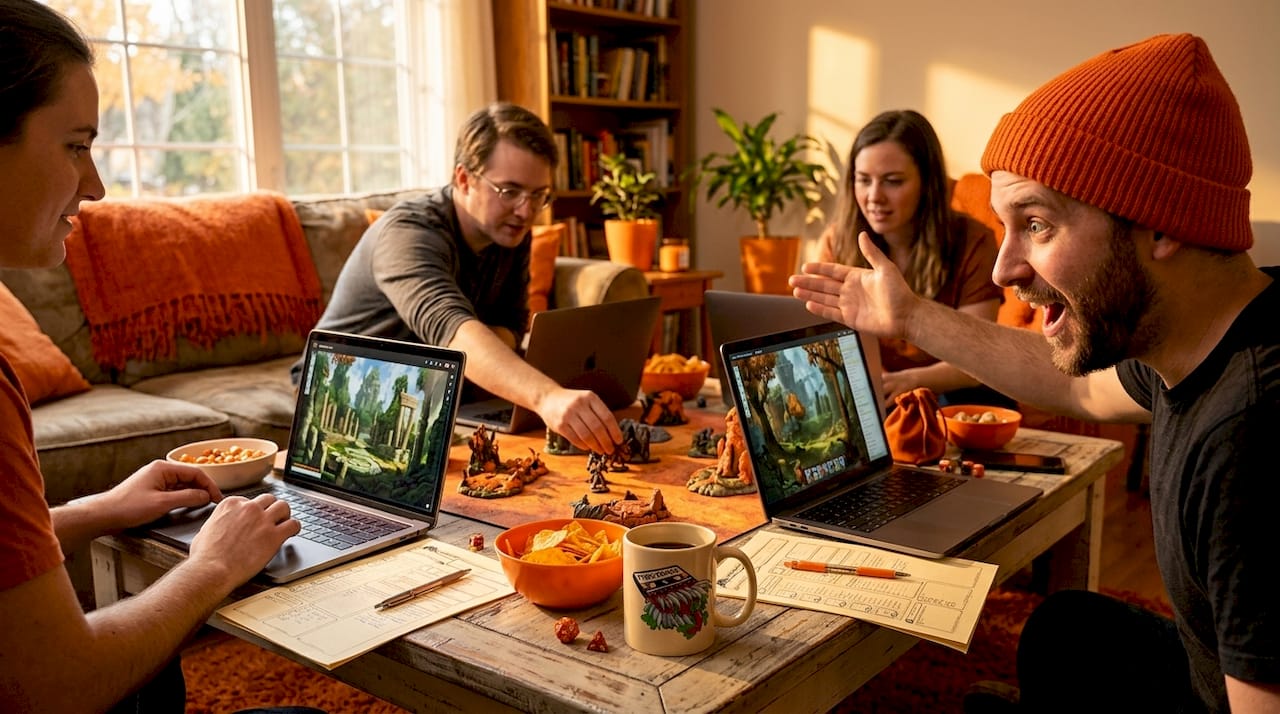
VTTs like Roll20 handle session mechanics, and you can import maps from creators to power up your online games, while simpler browser VTTs like Owlbear Rodeo are perfect for fast, no-fuss sessions. Here’s a quick breakdown of the major VTT players:
- Roll20: The big dog in the VTT world. It handles automated measurements, fog of war, initiative tracking, character sheets, and even some dice rolling right in the browser. It’s ideal for groups that want an all-in-one session hub. The free tier is quite usable, and the paid tiers unlock advanced dynamic lighting and other premium features.
- Owlbear Rodeo: The indie darling of the VTT scene. It’s lightweight, fast, and genuinely requires almost zero setup. If you want to get a map on screen and start moving tokens in under five minutes, Owlbear Rodeo is your best friend. It’s free and perfect for one-shot games or groups that don’t need a ton of mechanical automation.
- DungeonFog (VTT mode): Here’s a fun twist. DungeonFog doubles as both a map creator AND a browser-based VTT, which means you can design your dungeon and then run the session in the same app. For GMs who want a streamlined workflow, this is genuinely cool.
Adding tactical depth with battle maps is so much easier when your VTT handles the mechanical side, leaving you free to focus on the story and the drama.
Pro Tip: When exporting maps from your creator tool, always go for the highest resolution your VTT supports. Blurry maps break immersion faster than a rules argument at the table. Most VTTs handle 140 pixels per grid square beautifully, so use that as your baseline export setting.
Comparing RPG map tools: Features at a glance
Now that you’ve seen each tool’s specialties, here’s their head-to-head breakdown for fast decision-making. Note that browser-based tools can lag with complex maps, while desktop tools handle large files more smoothly. Keep that in mind when you’re building those massive, multi-room megadungeons.
| Tool | Platform | Price | Best for | Export options | VTT integration | Main limit |
|---|---|---|---|---|---|---|
| Dungeondraft | Desktop | One-time fee | Dungeon/interior maps | PNG, VTT formats | Excellent | Requires download |
| Inkarnate | Browser | Free/Premium sub | World and region maps | PNG, JPG | Good (manual import) | No built-in VTT mode |
| DungeonFog | Browser | Freemium | Multi-genre maps and VTT play | PNG, VTT formats | Built-in VTT mode | Can lag on large files |
| Roll20 | Browser | Free/Plus/Pro sub | Full session management | N/A (import maps) | Native VTT | Map creation is basic |
| Owlbear Rodeo | Browser | Free | Quick, lightweight VTT sessions | N/A (import maps) | Native VTT | Minimal features by design |
The desktop versus browser trade-off is real and worth thinking about seriously. Dungeondraft’s desktop nature means it runs quickly and handles massive, detailed maps without breaking a sweat. But you need to download and install it, which might be a barrier for casual users or people who switch computers often. Browser tools like Inkarnate and DungeonFog win on accessibility since you can log in from anywhere, but they can chug when you’re building that 50-room dungeon with layered lighting effects.
If you’re looking for inspiration on the kind of maps these tools can help you create, browsing top battle maps for DnD is a genuinely fun rabbit hole. Fair warning: you may lose an hour or two.
Choosing the right tool for your RPG table
Seeing all the facts side by side, let’s make this practical and pick the best tools for different GM and player needs. Because at the end of the day, the “best” tool is the one that actually fits how YOU run your game.
AI mapping tools offer flexible generation but sacrifice some artistic control, which makes them a decent quick fix but not a full replacement for dedicated software. They’re worth knowing about as a backup when you need something fast and don’t have time for a full Dungeondraft session.
Here’s a practical numbered guide to matching your scenario to your tool:
- You’re a worldbuilder at heart: Go with Inkarnate for gorgeous regional and world maps. The artistic quality is unmatched for overland cartography, and your players will feel the scale of your world immediately.
- You need dungeons fast: Dungeondraft is your one-stop shop. Pay once, keep it forever, build dungeons in minutes. It’s the Swiss Army knife of dungeon design.
- You run full campaigns online: Pair a map creator (Dungeondraft or Inkarnate) with Roll20 for the full package. Create stunning maps, then run mechanically smooth sessions. Best of both worlds.
- You want simplicity for one-shots: Owlbear Rodeo plus any map you can find or make quickly. No fuss, no setup, just gaming.
- You want an all-in-one browser workflow: DungeonFog handles both creation and play without switching apps. A solid choice for GMs who like a streamlined prep pipeline.
- You need something NOW: An AI generator buys you time in a pinch, but follow up with a proper tool once the session is over.
The insider pick from us? Use a dedicated map creator paired with a VTT. Yes, it’s two tools to learn. But the flexibility and quality you get from that combo blows any single-tool solution out of the water. Think of it as learning to get the most from battle maps as a craft, not just a checkbox.
Pro Tip: Don’t overlook your players when choosing a tool. Ask them what platform they prefer for online sessions. If half your group is on tablets, a lightweight browser VTT will serve you better than a feature-heavy desktop client every time.
Why the best RPG map tool depends on your play style
Here’s the take that often gets buried under feature comparisons and price charts: the best RPG map tool is the one your table actually enjoys engaging with. Not the one with the most features. Not the most expensive premium subscription. The one that fits YOUR creative energy and gets your group excited.
We’ve seen GMs run mind-blowing sessions with maps they drew in Paint. We’ve also seen gorgeous, professionally crafted VTT setups that left players cold because the GM was too stressed about the technology to actually tell a good story. The tool serves the game, never the other way around.
Your comfort level with digital tools matters enormously here. If a steep learning curve is going to eat into your prep time and leave you frazzled at the table, a simpler tool is the smarter pick, even if it has fewer bells and whistles. A map you actually finish is infinitely more useful than a half-built masterpiece you gave up on at midnight.
Your group’s energy matters too. Some tables go absolutely wild for immersive, animated maps with fog of war and dynamic lighting. Other groups genuinely don’t care about the visuals and just want to know where the goblin camp is relative to the river. Read your room (literally) before investing heavily in tools your players might not notice.
Even free tools, used creatively, can produce inspiring D&D maps that make your players feel genuinely transported. The artistry lives in the intent, not the price tag. Chase engagement, not features, and you’ll always land on the right tool for your table.
Upgrade your RPG experience with essential game journals
If you’re ready to level up your prep beyond digital tools, here’s an easy way to keep your maps and adventures organized. Because what good is a stunning dungeon map if your session notes are scribbled on a napkin you’ve since lost?
At 1985 Games, we’ve got you covered with beautifully crafted physical tools that complement your digital workflow perfectly. Our Player’s Journals give every adventurer at your table a dedicated space to track character notes, map sketches, and session highlights, turning each campaign into a story worth remembering. For the dungeon masters running the show, our DM’s Journals are designed specifically for campaign planning, NPC tracking, and session prep. Think of them as the analog sidekick to your digital map tools. Pair a great map tool with a great journal, and your prep game just hit legendary status.
Frequently asked questions
What’s the difference between map creators and VTTs?
Map creators are for drawing and painting detailed maps, while VTTs let you play out encounters and manage sessions online with tokens, fog of war, and initiative tracking. Map tools divide into creators like Inkarnate and Dungeondraft and VTTs like Roll20 and Owlbear Rodeo, and most experienced GMs use both.
Are there free options for RPG map tools?
Absolutely! Tools like Inkarnate and DungeonFog offer solid free tiers, and Owlbear Rodeo is completely free for quick VTT sessions. DungeonFog is a freemium web-based tool, and Owlbear Rodeo is a simple, fast, browser-based VTT that costs you nothing to start.
Can you use Dungeondraft maps in online tabletop games?
Yes, and it’s one of Dungeondraft’s biggest selling points. Dungeondraft exports optimized maps for VTT platforms like Foundry VTT and Roll20, complete with dynamic lighting data when supported.
What are the main downsides of browser-based map tools?
The biggest trade-off is performance on complex maps. Browser-based tools may lag handling large or complex files, which can be frustrating when you’re building multi-layered dungeon environments with lots of assets.
Are AI map generators useful for DMs?
They’re genuinely useful in a pinch, especially for quick one-shots or when time is tight. AI tools speed map generation but give up some artistic control, so they work best as a backup rather than your primary creative workflow.